Every step, narrated
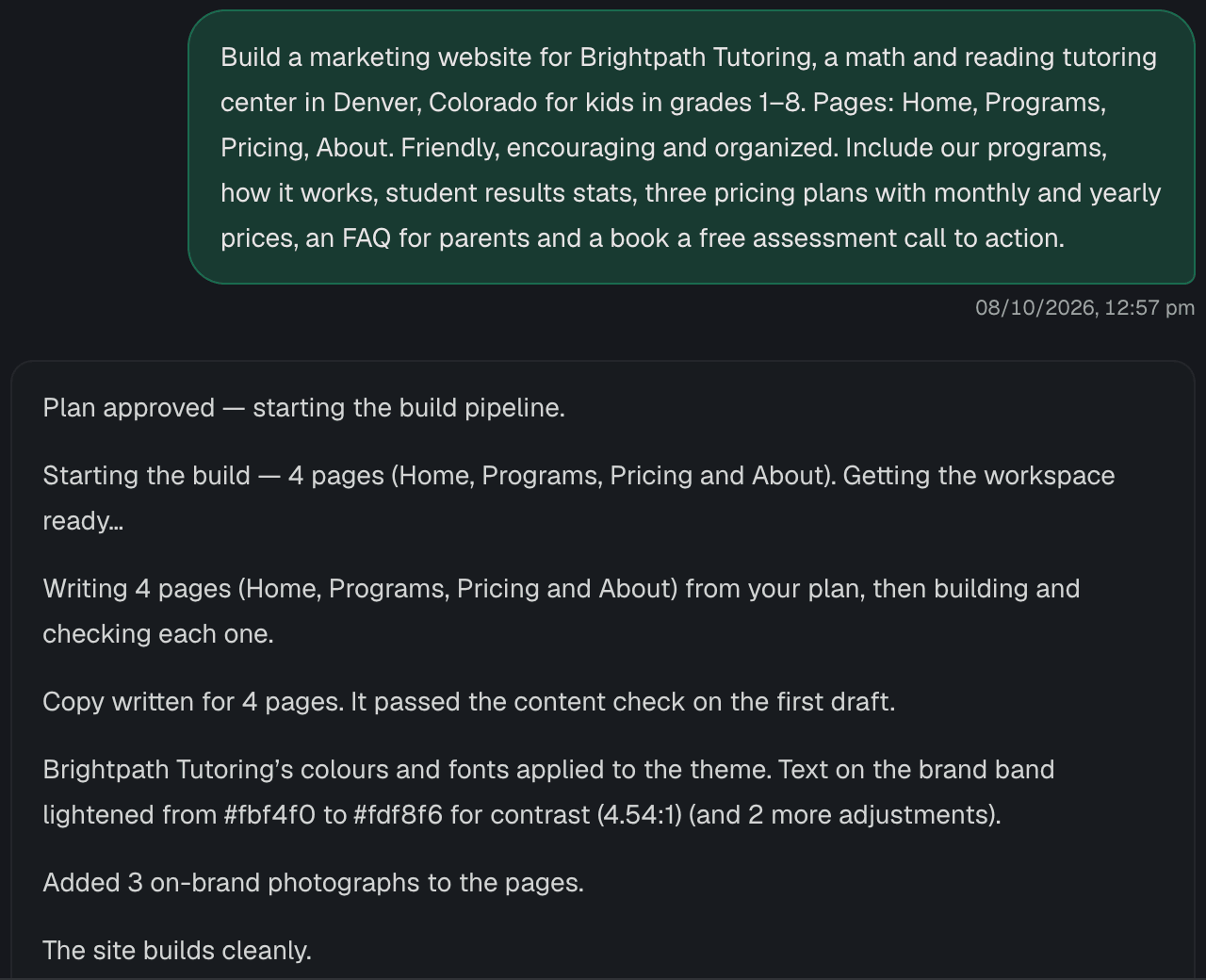
Plan approved, pages written, content checked, contrast fixed to 4.54:1 — you see what happened, not a spinner.
BetaAI website builder for small businesses
Approve the plan, then click to change anything. Most edits use zero AI calls, every change shows what it cost, and the site is yours to host anywhere.
Plan & build. Approve the plan, then watch every step narrated in plain words.
Why switch
Coming from Lovable · Bolt · v0
On Lovable, selecting an element to edit uses credits; on Bolt, saving visual edits uses tokens. Codeless IQ applies most edits by rules — 0 AI calls — and shows the cost of the ones that do use AI.
See the sourced comparison →Coming from Webflow · Framer
Tell Codeless IQ about your business and approve a plan — no canvas to learn. And your site is yours to take: Framer has no HTML export, and Webflow’s export drops CMS and forms.
See the sourced comparison →Coming from A freelancer or agency
Clutch puts typical agency rates at $100–$149/hr and projects at around 7 months. With Codeless IQ you see the first page in a live preview while the rest builds — and you make changes yourself.
See the sourced comparison →The product
Screenshots from the Codeless IQ app building and editing a real tutoring site.
Plan & build
Codeless IQ asks only what would force a rebuild if guessed wrong, waits for your yes, and tells you what it is doing in plain words.
Plan approved, pages written, content checked, contrast fixed to 4.54:1 — you see what happened, not a spinner.
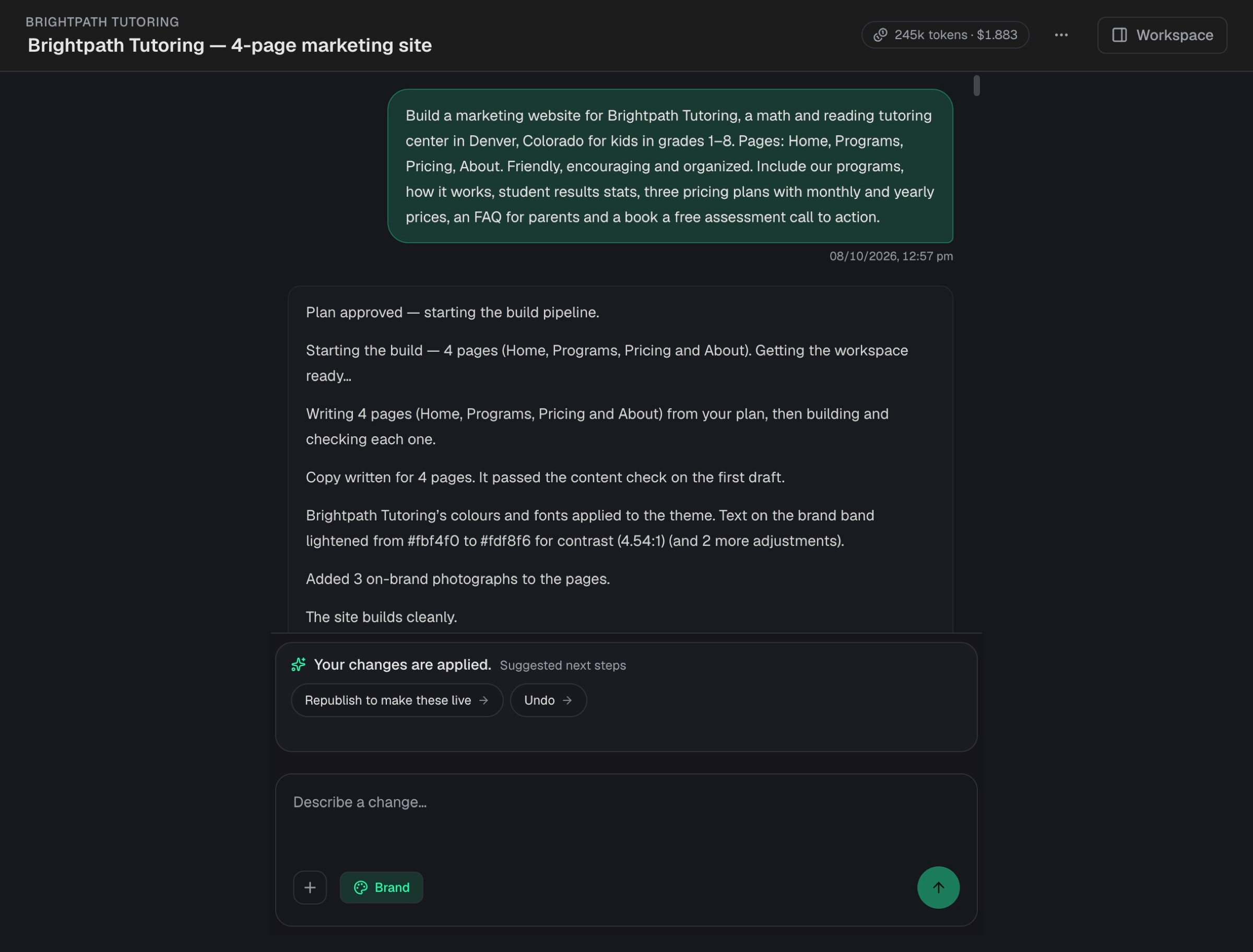
Describe a change in a sentence, or open the Studio and click. The preview updates either way.
Instead ofLong back-and-forth briefs, and prompting over and over until a builder guesses right.
Visual Studio
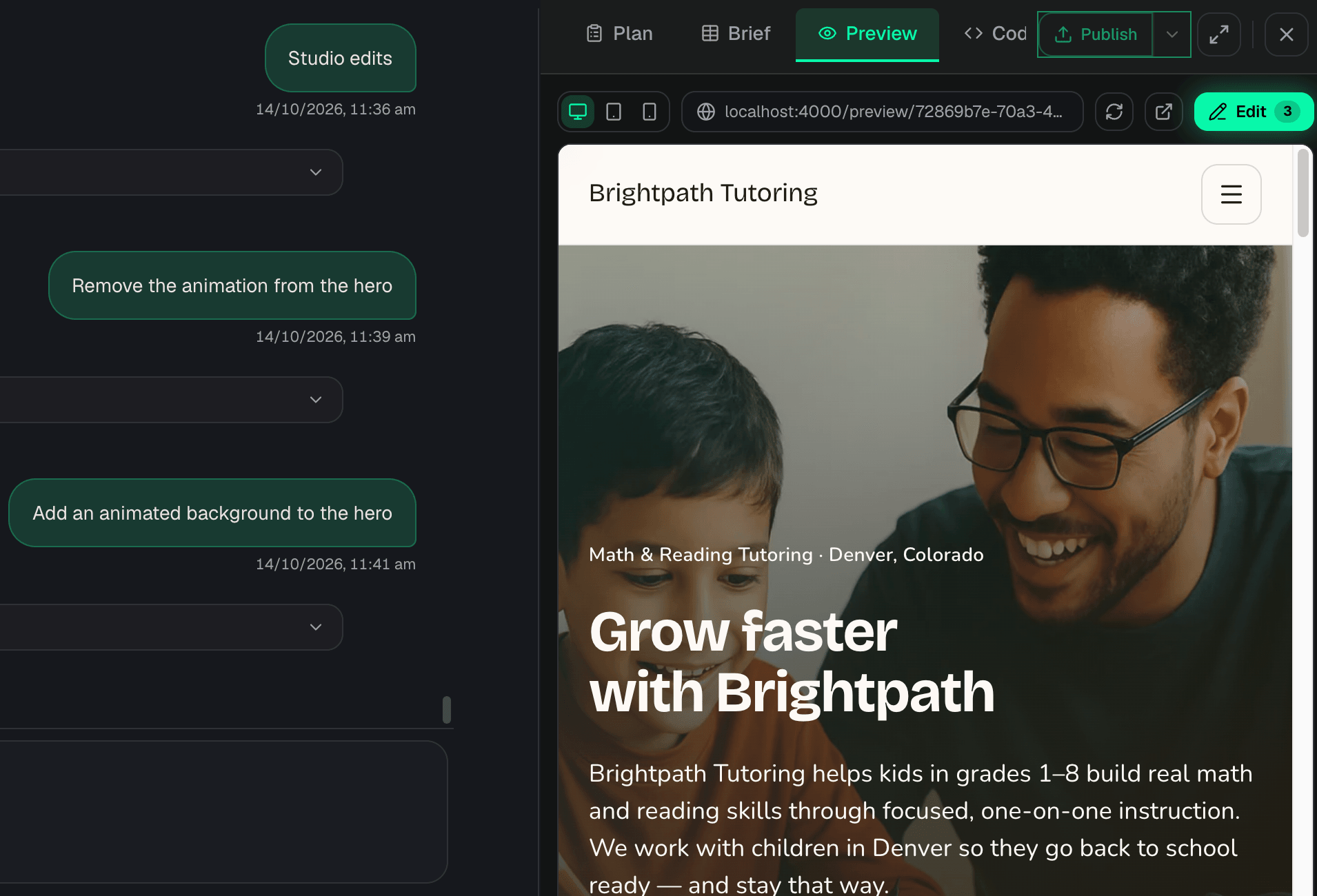
Text, colours, layouts, menus, maps, booking and checkout links are applied by rules in seconds. The model is called only when a change truly needs it.
Pick an element on your live site and edit its text, colour, size, weight or alignment from one panel.

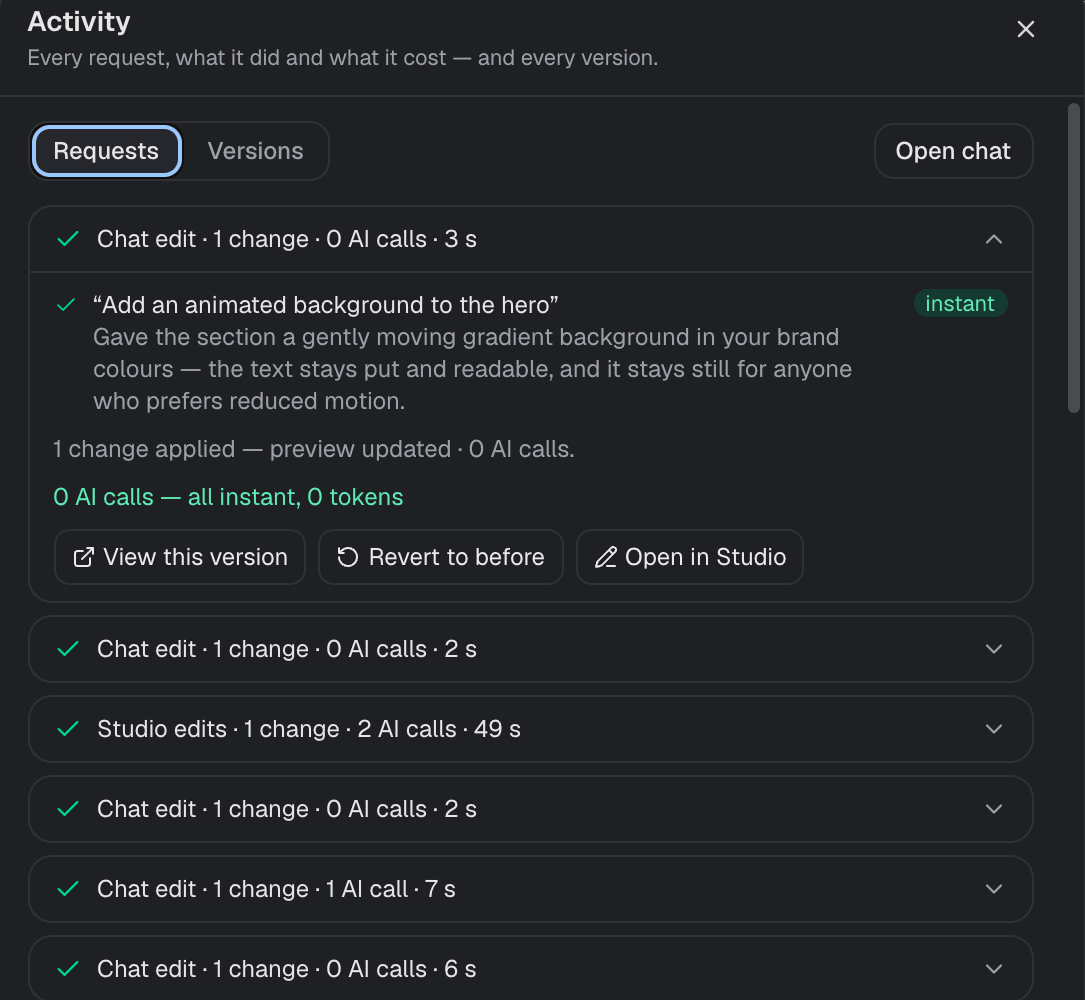
Each change says whether it used the model. An animated hero background: zero tokens.
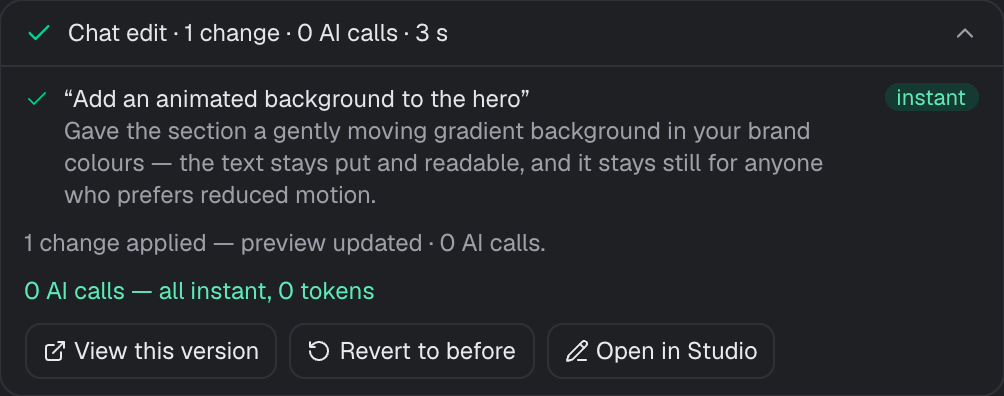
Restore any earlier version of the site in one click — text edits, new pages, generated images.
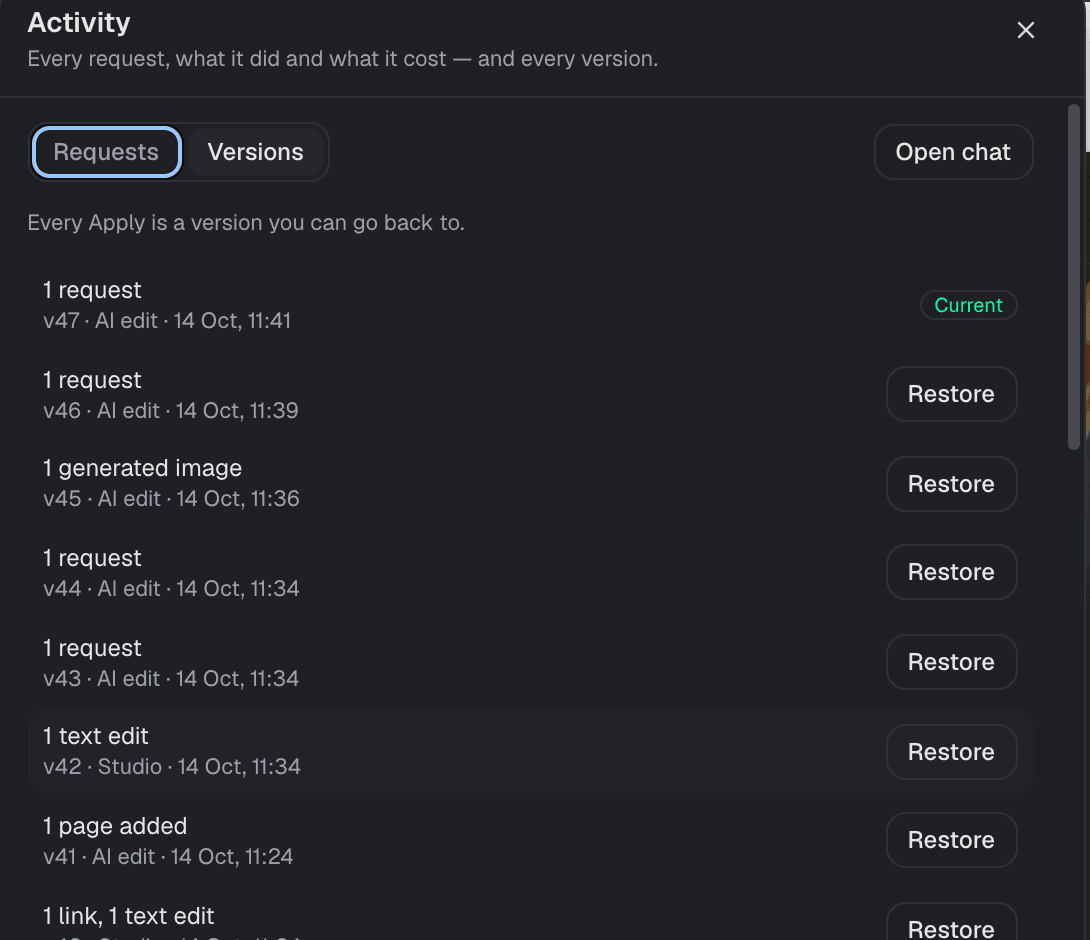
Duplicate button labels, empty image slots, unpublished edits — suggested as one-click chips so you never wonder what to do next.

Instead ofSpending credits on every small text or colour tweak.
Honest AI
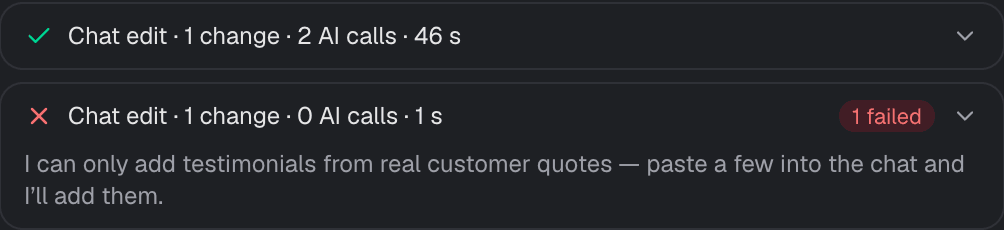
No made-up testimonials, prices, reviews or links. When it needs a fact about your business, it asks — and you always see what the AI costs.
Asked to add testimonials without real quotes, it refuses and asks you to paste them.
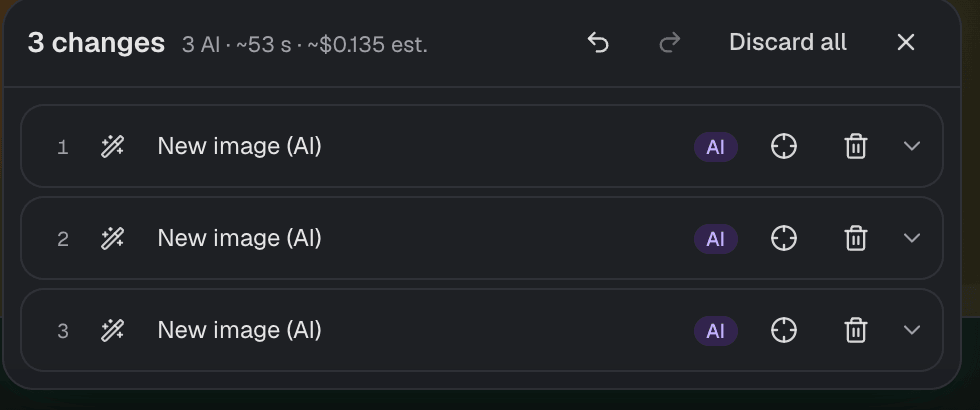
Queued changes show their AI calls, time and estimated cost before anything runs.
The activity log lists every request with its AI calls and duration.
At your monthly budget, new AI work pauses. Publishing, downloads, leads and manual edits keep working.
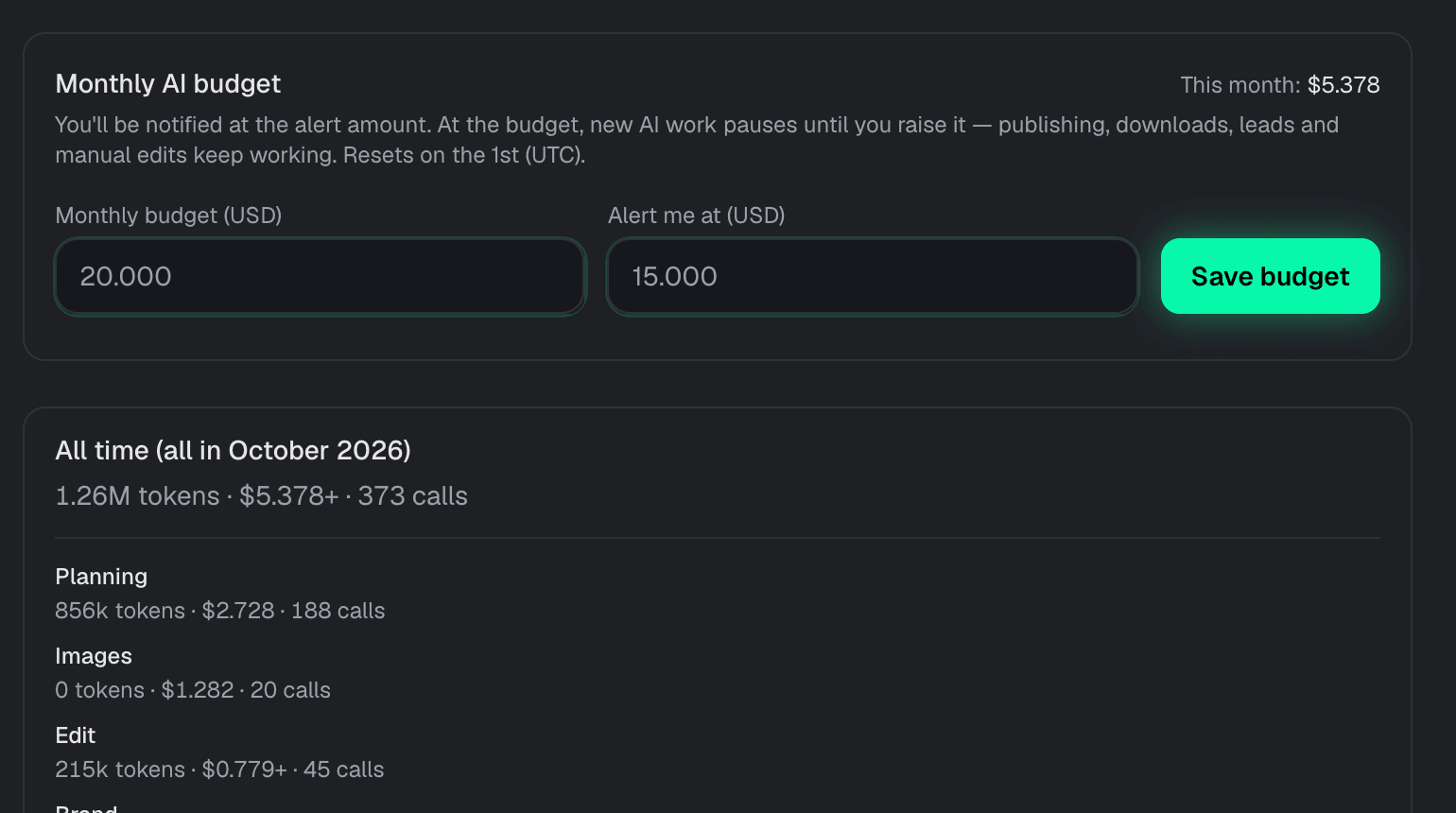
Instead ofSurprise bills, and placeholder copy you have to hunt down before launch.
Ship & own it
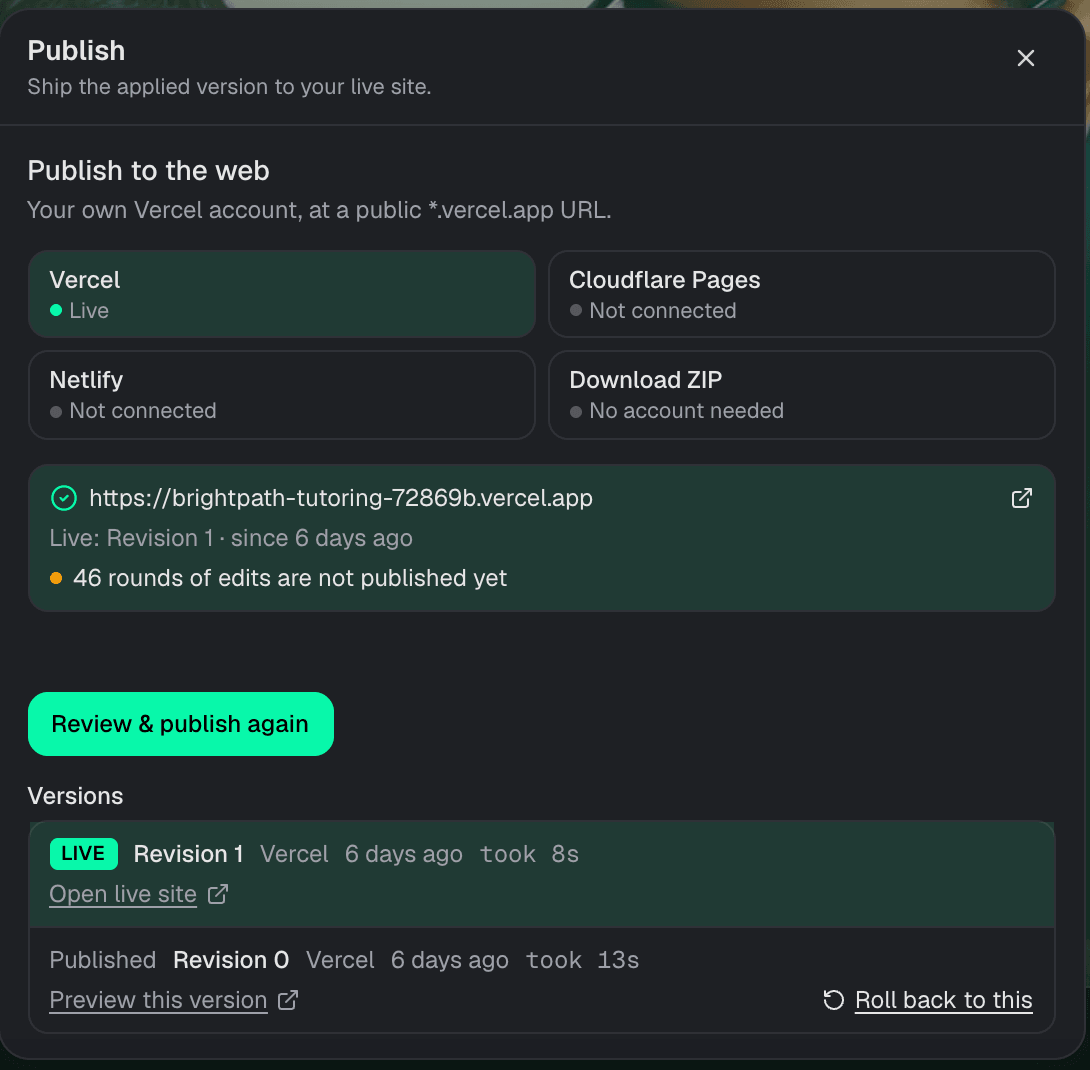
Publish to your own Vercel, Netlify or Cloudflare account — or download the site as a ZIP. Every version is kept, and secrets stay in the project.
See what is live, what is not published yet, and roll back to any earlier revision.
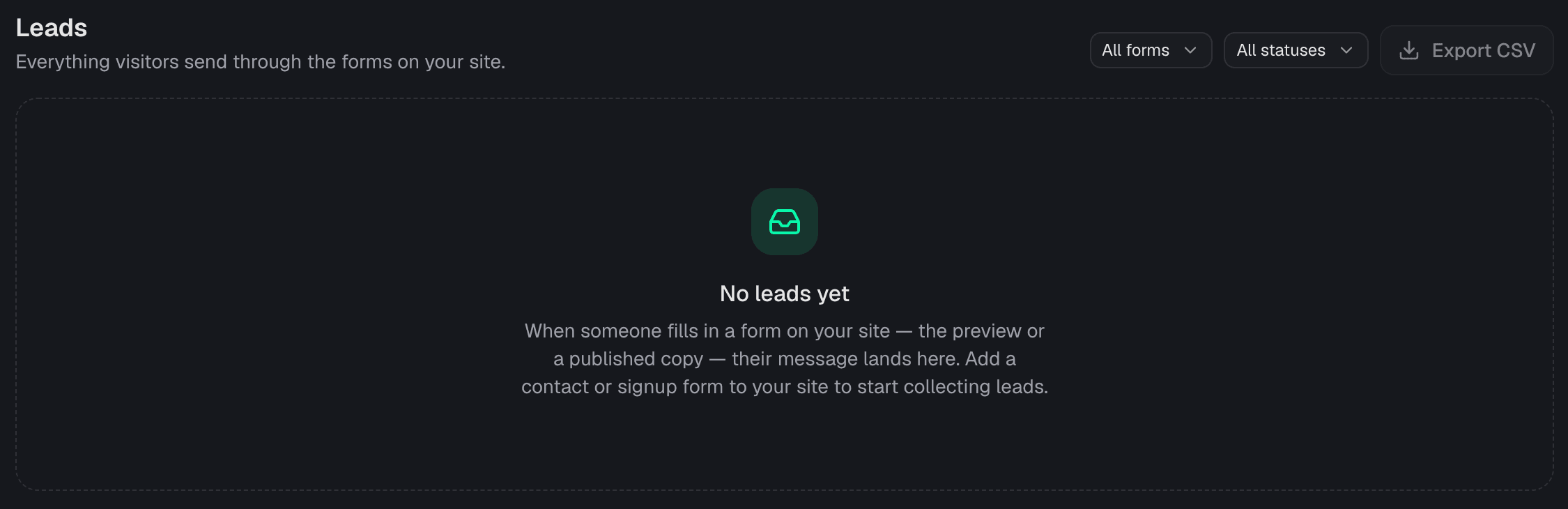
Contact and signup forms on your site — preview or published — send their messages to the project inbox, with CSV export.
Environment variables are stored per project, can be masked as secret, and are injected only into that project’s workspace.

Protect a file or a range of lines. Changes to protected code pause until you approve them. Content from uploads and web pages is treated as data, never as instructions.
Compared, with sources
Every cell links to the vendor’s own docs or pricing page. “Not documented” means we couldn’t find it there — not that it doesn’t exist. Where they’re stronger, we say so.
| Checked 14 Oct 2026 | Codeless IQ | LovableAI app builder | BoltAI app builder | v0AI app builder | WebflowVisual site builder | FramerVisual site builder |
|---|---|---|---|---|---|---|
| Visual edits that don’t spend AI | YesMost edits apply by rules with 0 AI calls | Partly100 free inline text edits per 24h; selecting an element to edit uses credits source | PartlyFree to make in the preview; uses tokens when you save source | YesDesign Mode doesn’t consume credits source | YesBuilding and designing don’t use AI credits source | YesCredits only for Agent chat, Workshop and AI translations source |
| AI cost shown on every change | YesAI calls, tokens and cost per request, before and after | Not documentedPublishes example credit costs; no per-change display documented | Not documented | Not documented | Not documentedWebflow says it doesn’t publish a credit rate card | Not documentedPublishes typical credit costs; no per-change display documented |
| Refuses to invent testimonials, prices or links | YesAsks for real quotes and links instead | Not documented | Not documented | Not documented | Not documented | Not documented |
| Your own monthly AI budget in dollars | YesAI work pauses at your budget; publishing and edits keep working | Not documentedPrepaid credits; no user-set dollar budget documented | Not documentedPrepaid tokens; no user-set dollar budget documented | Not documentedPrepaid credits; no user-set dollar budget documented | Not documentedPrepaid credits; no user-set dollar budget documented | Not documentedPrepaid credits; no user-set dollar budget documented |
| A plan you approve before it builds | YesPlan review before any code is written | YesPlan mode: review, edit and approve before code source | YesPlan Mode: plan and ask questions without changing code source | YesPlan Mode preset asks for approval before changes source | Not documented | Not documented |
| Take your site anywhere | YesYour own Vercel, Netlify or Cloudflare account, or a ZIP | YesExport and two-way sync with GitHub source | YesSync the project to a GitHub repository source | YesGitHub-backed projects; deploys to Vercel source | PartlyCode export on paid Workspace plans; CMS, forms and search don’t work when exported source | NoNo HTML export or self-hosting source |
| Built-in CMS | NoNot yet — content is edited in the Studio | Not documented | Not documented | Not documented | YesWebflow CMS on Premium site plans source | YesCMS collections on every paid plan source |
No per-seat fees. Unlimited team members. One credit system for planning, isolated builds, visual checks, and edits.
$0/mo
Per month platform fee. Unlimited team members.
Light, exploratory, and personal use.
20 free credits
Buy more as needed. Credits never expire.
$25/mo
Per month platform fee. Unlimited team members.
For individuals shipping production-ready sites and apps.
100 free monthly credits
Buy more as needed. Credits never expire.
Most popular
$50/mo
Per month platform fee. Unlimited team members.
Frequent use by individuals and teams.
250 free monthly credits
Buy more as needed. Credits never expire.
$250/mo
Per month platform fee. Unlimited team members.
Power users and fast-moving teams.
1,500 free monthly credits
Buy more as needed. Credits never expire.
Need SSO, data residency, or premium support? Contact sales
Cost, honesty, hosting and how we compare.
Deterministic rules handle common edits — text, layouts, colours, menus, maps, booking and checkout links — before any model is called, so most Studio edits use zero AI calls. When a model is needed it gets only the part of the site it changes, and every change shows its calls, tokens and cost.
No. It never invents testimonials, prices, reviews or links. If it needs a real fact — an address, a booking or payment link, customer quotes — it asks you for it.
Only questions where a wrong guess would force a rebuild — payments, auth model, tenancy, and similar high-reversal choices. Copy and layout become documented assumptions.
Most edits apply by rules with zero AI calls, every change shows its AI cost, you can set a monthly AI budget in dollars, and it refuses to invent facts. We also keep a sourced comparison — every claim links to the other vendor’s own docs — on the Compare page.
Yes. Publish to your own Vercel, Netlify or Cloudflare Pages account, or download the site as a ZIP. Every published version is kept so you can roll back.
New AI work pauses until you raise the budget. Publishing, downloads, leads and manual edits keep working. The budget resets on the 1st (UTC).
Environment variables are stored on the project, can be marked secret so they are masked, and are injected only into that project’s workspace.
Most edits cost nothing in AI — and the ones that do tell you exactly what they cost.